Title here
Summary here
The Financial Settings page enables the configuration of the basic financial settings for the system.
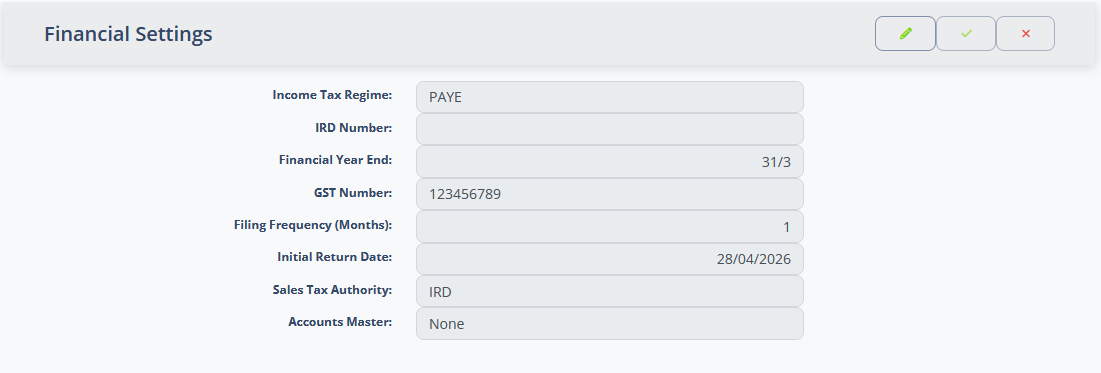
| Field | Meaning |
|---|---|
| Income Tax Regime | This is configured by the system. It specifies the rules for income tax calculations in your country. |
| Income Tax ID | This is the identifier that the tax authority in your country identify your business by for income tax purposes. It will have a different label depending on the Income Tax Regime. |
| Financial Year End | The Month and day of the financial year end for your business. |
| Sales Tax ID | This is the identifier that the tax authority in your country identify your business by for sales tax purposes. It will have a different label depending on the name of the sales tax regime in your country. |
| Filing Frequency (Months) | This is the number of months between filing sales tax returns. |
| Initial return date | This is the date of the first sales tax return filed through the system. |
| Sales Tax Authority | This is an “Other Party” record used by the system to record contact details for the tax authority. Contact details can be recorded on the record and it is used by the system to generate pro-forma invoices for tax payments. |
| Accounts Master | Specifies whether how to synchronise data with an external accounts package … |
When you have connected to an external accounting package such as Xero, the system needs to know whether it’s internal accounts or the external accounts should be treated as the “Source of truth”. When the value is set to “iAgri”, transaction data is exported to the external accounts package and created, updated or delete there to match the iAgri transaction data. When “External” is selected, data is imported from the external accounts package and the internal data is created, updated or deleted to match.
If you have not connected to an external accounts package, this should be set to “None”.