Title here
Summary here
The Hazard Editor enables you to record all the details for a hazard, including the risk assessment, the controls applied, any corrective actions, and the full audit trail of changes.
When viewing a hazard, the data entry fields are read only. Click the button on the toolbar to begin editing.
The editor is divided across several tabs as described below.
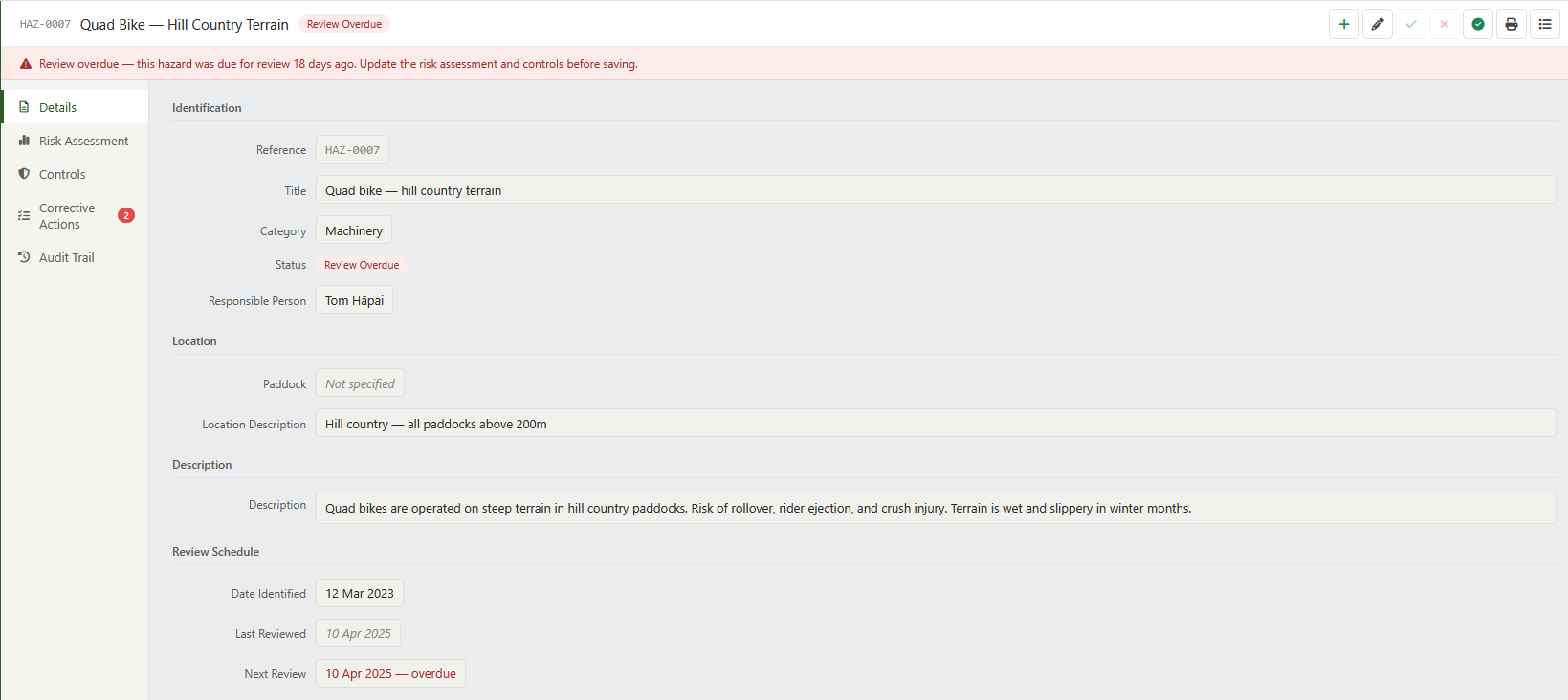
This tab contains the basic identifying information for the hazard.
| Field | Type | Description |
|---|---|---|
| Reference | Read only | The unique reference number, auto-generated on first save. |
| Title | Text | A short descriptive title for the hazard (e.g. “Bull in breeding mob — yards and race”). |
| Category | Drop down | The category that best describes the nature of the hazard. See Hazard Categories. |
| Status | Drop down | The current lifecycle status of the hazard. See Hazard Status. |
| Location | [type-ahead] | The paddock or area of the farm where the hazard is located, if applicable. |
| Location Description | Text | A free-text description of the hazard location, for hazards not associated with a specific paddock (e.g. “Woolshed roof”, “Chemical store adjacent to implement shed”). |
| Description | Text | A full description of the hazard — what it is, where it occurs, and who is exposed to it. |
| Responsible Person | [type-ahead] | The Staff Member responsible for managing this hazard and ensuring controls remain effective. |
| Date Identified | [date] | The date on which the hazard was first identified and recorded. |
| Last Reviewed | Read only | The date on which the risk assessment and controls were last reviewed. |
| Next Review | [date] | The date by which the next review of this hazard must be completed. When this date passes without a review, the status changes automatically to Review Overdue. |
| Closure Reason | Text | The reason this hazard was closed. Required when setting the status to Closed. |
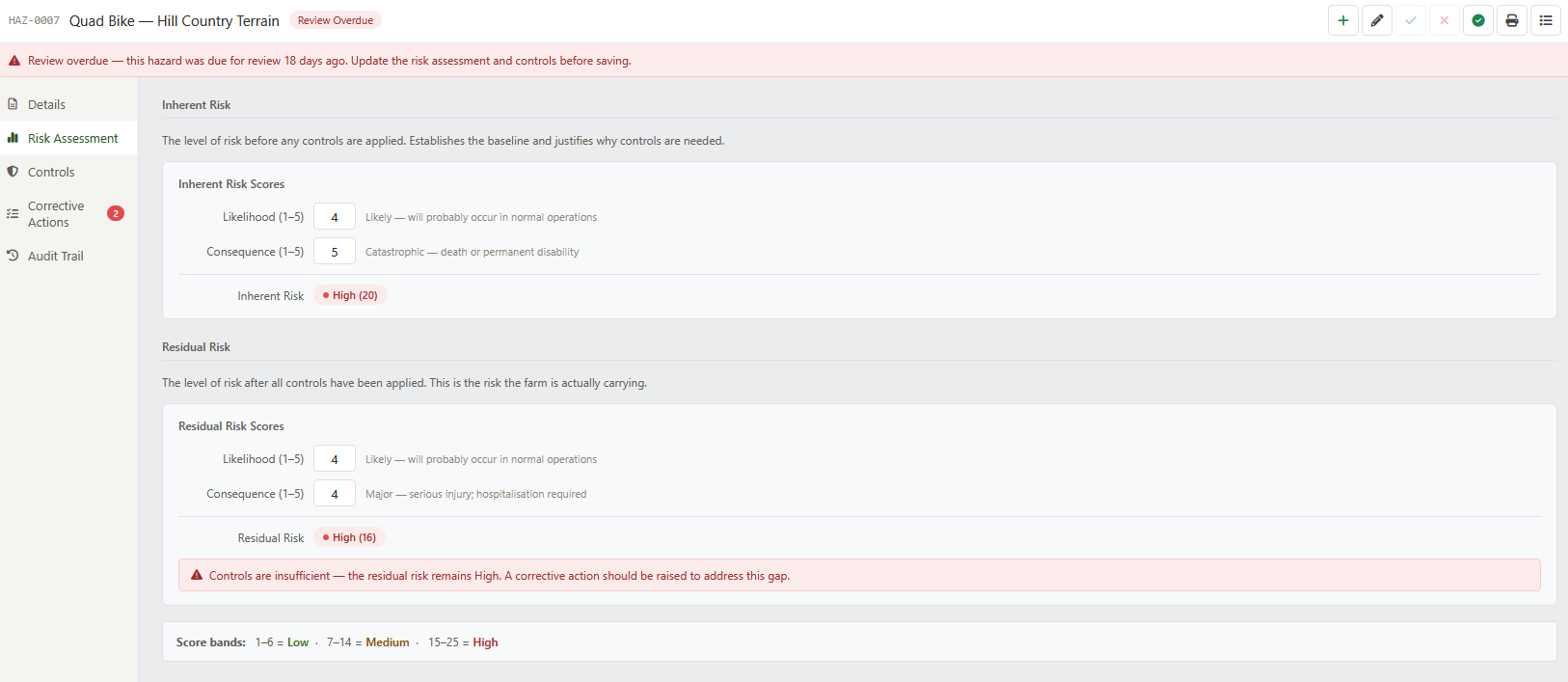
The risk assessment tab records the likelihood and consequence scores for the hazard, both before and after controls are applied. These scores drive the risk level shown in the Hazard Register list.
For a full explanation of how likelihood, consequence, and risk level scores are defined, see Risk Scoring.
Inherent risk is the level of risk before any controls are in place. It establishes the baseline and justifies why controls are needed.
| Field | Type | Description |
|---|---|---|
| Likelihood | Drop down | How likely it is that the hazard will cause harm without controls (Rare 1 – 5 Almost Certain). See Likelihood. |
| Consequence | Drop down | How severe the harm would be without controls (Negligible 1 – 5 Catastrophic). See Consequence. |
| Inherent Risk | Read only | The calculated risk level (Likelihood × Consequence). See Risk Level. |
Residual risk is the level of risk after all controls have been applied. This is the risk level shown in the Hazard Register list and on the H&S home page.
| Field | Type | Description |
|---|---|---|
| Likelihood | Drop down | How likely it is that the hazard will cause harm without controls (Rare 1 – 5 Almost Certain). See Likelihood. |
| Consequence | Drop down | How severe the harm would be without controls (Negligible 1 – 5 Catastrophic). See Consequence. |
| Residual Risk | Read only | The calculated risk level after controls. |
High Residual Risk
If the residual risk level remains High after controls have been applied, the controls are considered insufficient. The system will display a warning and a corrective action should be raised to address the gap. WorkSafe expects to see evidence that higher-order controls (elimination, substitution, isolation) were considered before falling back to administrative controls or PPE alone.
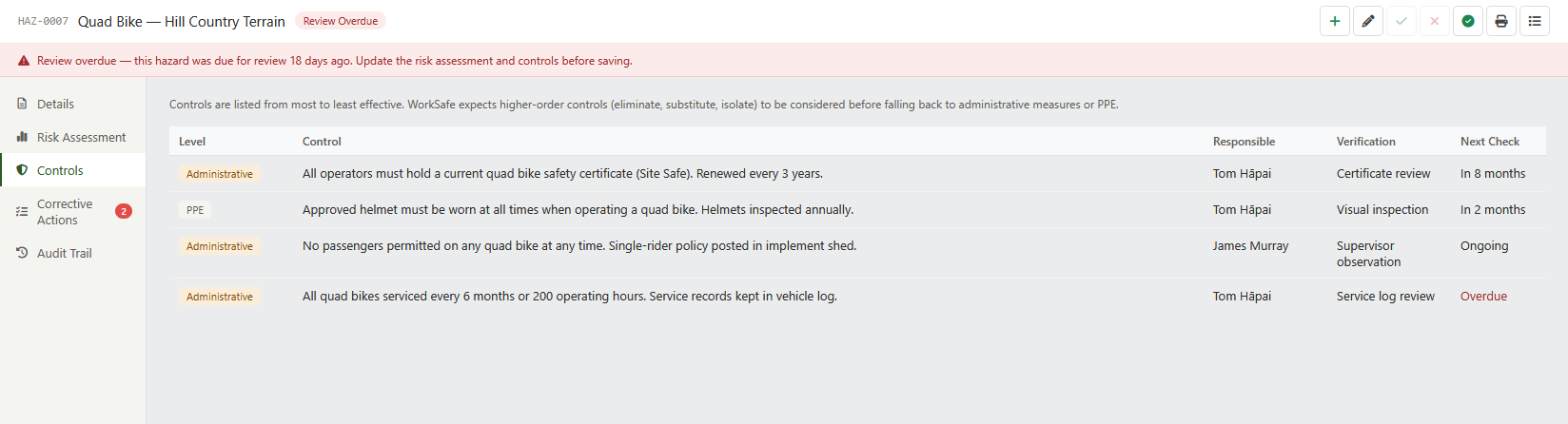
The Controls tab records the specific measures that have been put in place to manage the hazard. A hazard may have multiple controls at different levels of the hierarchy.
The Health and Safety at Work Act 2015 requires that controls are applied in order of effectiveness, from most to least effective. iAgri records which level of the hierarchy each control sits at, so that the register can demonstrate to WorkSafe that higher-order controls were considered.
| Level | Description |
|---|---|
| Eliminate | The hazard has been removed entirely. This is always the preferred option. |
| Substitute | The hazard has been replaced with something less dangerous. |
| Isolate | The hazard has been physically separated from people. |
| Engineering | A physical change that reduces exposure to the hazard. |
| Administrative | Procedures, training, signage, or supervision that reduce exposure. |
| PPE | Personal protective equipment used as the last line of defence. |
For each control, the following information is recorded:
| Field | Type | Description |
|---|---|---|
| Level | Drop down | The level of the hierarchy of controls at which this measure operates. |
| Description | Text | A description of what the control measure is and how it is applied. |
| Responsible Person | [type-ahead] | The Staff Member responsible for implementing and maintaining this control. |
| Implementation Date | [date] | The date on which this control was put in place. |
| Verification Method | Text | How the effectiveness of this control is verified (e.g. “Monthly visual inspection”, “Supervisor observation during mustering”). |
| Next Verification | [date] | The date by which the next verification of this control must be completed. |
Use the button to add a new control. A control can be removed using the button on that control’s row.
Note
Removing a control from a hazard does not delete it from the audit trail. The audit trail will record that the control was removed, by whom, and when. Controls that have been superseded should be removed so that the active controls list accurately reflects what is currently in place.
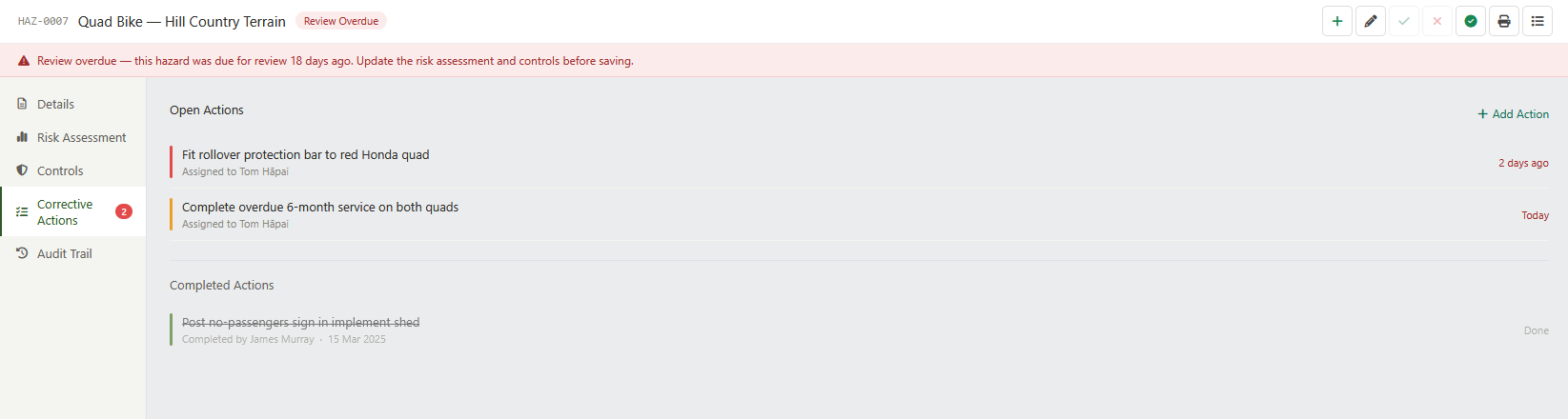
The Corrective Actions tab lists any actions that have been raised against this hazard — for example, to address an insufficient control or to follow up on a review finding.
Corrective actions are assigned to a named Staff Member with a due date. Overdue actions are shown in red. Actions can also be raised directly from the Incidents & Near-Misses page when an incident is linked to this hazard.
Use the + Add action link to raise a new corrective action directly from the Hazard Editor. The action will also appear in the Open Corrective Actions panel on the H&S home page.
Required before closing
Every incident linked to a hazard must have at least one corrective action assigned before the incident record can be closed. An open corrective action with no owner or an overdue completion date is a gap a WorkSafe inspector will cite.
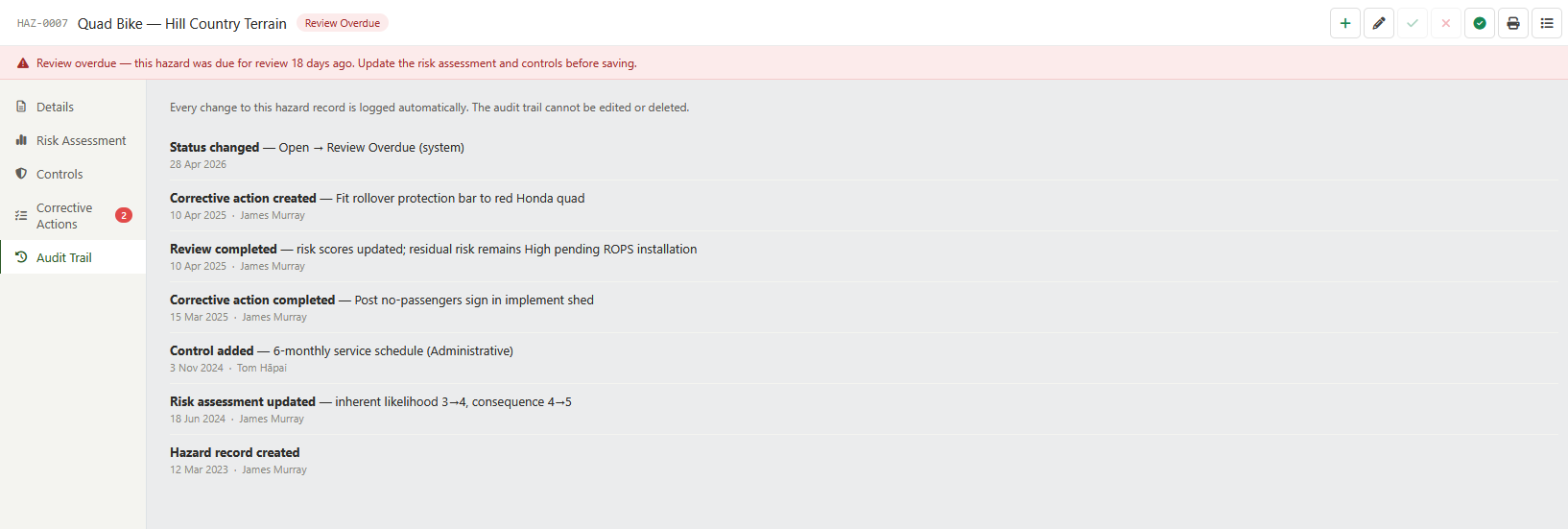
The Audit Trail tab records every change made to the hazard record — status transitions, risk score updates, control additions and removals, review completions, and closure. Each entry shows what was changed, who made the change, and when.
The audit trail is read-only and cannot be edited or deleted. WorkSafe inspectors expect to see that the Hazard Register is a living document with a demonstrable history of review and management, not a static list created once and never updated.
As well as the Standard Actions , the Hazard Editor has the following additional actions:
| Icon | Action | Description |
|---|---|---|
| Mark as Under Control | Sets the status of the hazard to Under Control and records the current date as the last reviewed date. Use this after completing a review and confirming that controls are effective. | |
| Generates a printable version of the hazard record for use in audits or WorkSafe inspections. |